
Most organisations already have a CRM in place filled with company records, contacts, and maybe even deal stages. But in reality, many CRMs become archives rather than engines that actively support sales and marketing execution.
What usually holds teams back isn’t a lack of data. It’s a lack of real-time signals about which prospects are currently showing interest. Without these signals, opportunities slip through the cracks, follow-ups are delayed or generic, and your CRM becomes a rear-view mirror rather than a forward-looking tool.
What’s missing from most CRM workflows
- Static contact lists without current context
- No insight into behaviour on your website or product pages
- Manual copying of lead data into your CRM
- Generic outreach that doesn’t resonate
Why CRM integrations with Leadinfo adds real value
When Leadinfo data flows directly into your CRM, your existing data becomes actionable.
In practice, this means:
- You see which companies are active on your website. Leadinfo shows exactly which prospects and customers are visiting your site and sends that information straight into your CRM.
- You combine firmographic and behavioural data. Company size, industry and location are enriched with real website behaviour. All visible in your CRM.
- You spot buying signals earlier. Visits to pricing pages, product pages or integrations become clear signals, allowing sales to act while interest is still high.
- Every conversation starts with context
No more generic “just checking in” messages. Sales knows why they’re reaching out.
The result: your CRM shifts from a historical overview to a real-time decision tool.
How it works, without complexity
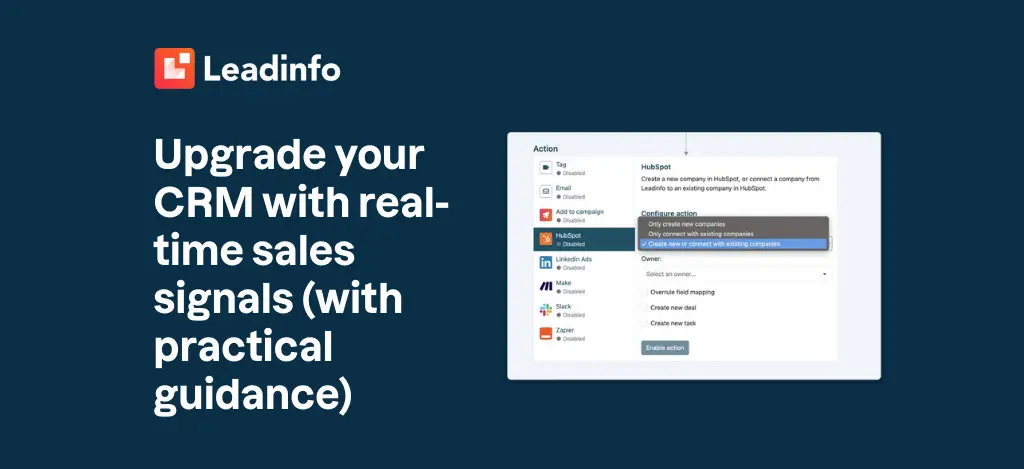
Connecting Leadinfo to your CRM takes only a few minutes and doesn’t require technical setup.
Here’s the practical flow:
- Connect your CRM
Leadinfo integrates with popular CRMs like HubSpot, Salesforce, Pipedrive and Microsoft Dynamics. Setup is done via Settings → Integrations. - Decide when data is sent
Use simple triggers to define what matters to you. For example:- Company size above X employees
- Visits to key pages (pricing, product, integrations)
- Specific countries or industries
- Choose what data appears in your CRM
Map Leadinfo fields (company profile, visit behaviour) to CRM fields, so your team sees only what’s relevant. - Act immediately
Sales receives enriched leads in the CRM and can follow up at the right moment or trigger tasks and workflows automatically.
From CRM storage to CRM action
With Leadinfo connected to your CRM:
- Marketing knows which companies are showing interest
- Sales follows up with perfect timing and context
- Teams stop working on assumptions and start acting on signals
And the best part? You’re not replacing your CRM, you’re just upgrading it with insights you didn’t have before. Want to go deeper? You can read the full integration guide or connect your CRM right away and start working with real-time signals today.