Why Identified Companies Often Remain Untapped
Many companies identify their website visitors but then leave opportunities on the table. This often happens for three reasons:
No clear process. Sales and marketing don’t know who follows up on identified companies. It ends up as isolated information in a dashboard.
Action comes too late. A visiting company only stays in your pipeline briefly. If you respond after three days, interest has cooled or the prospect has already moved to a competitor.
Wrong filtering. Not every company visiting your site is an ICP match. Without scoring, you waste time on companies outside your target audience.
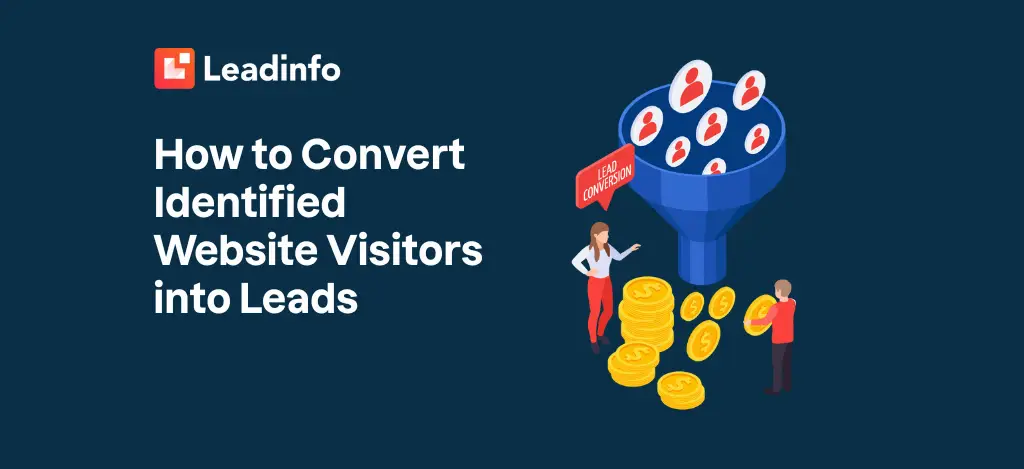
The solution? A structured conversion process that begins as soon as a company visits your site. Below are the five steps that make this possible.
The 5 Steps to Convert Website Visitors into Leads
Step 1: Identify and Segment
Leadinfo shows which companies visit your website. But not every company deserves immediate attention. Start with segmentation:
- ICP match: Does this company fit your ideal customer profile? Consider sector, company size, and location.
- Behavioural signals: Which pages were visited? How long did the company stay on your site?
- Returning visitors: A company that returns multiple times shows stronger purchase intent.
By filtering on these criteria, you focus on companies with the highest conversion potential. Leadinfo offers these filtering capabilities as standard in the dashboard.
Step 2: Activate Real-Time Alerts
Timing is everything. When an ICP company views your pricing page, you want to know immediately. With Leadinfo, you can set up Slack or email alerts for high-intent behaviour. This allows your sales team to respond within minutes.
This works best for:
- Visits to product pages or pricing
- Returning companies after a long time
- Companies viewing multiple pages in one session
Real-time follow-up significantly increases your response rate. Where you previously waited days, you now make contact within the hour.
Step 3: Enrich and Contextualise
Knowing that Company X visited your site is step one. The next question is: who within that company should I contact? Leadinfo enriches company data with:
- Contact details of relevant roles
- Technology stack (for SaaS companies)
- Revenue and company size
- LinkedIn information
This context helps your sales team personalise their approach. Instead of “Hello, you visited our site,” you send: “I saw you viewed [specific page]. Are you interested in [concrete benefit]?”
Step 4: Automate Your CRM Flows
Manual entry costs time and leads to missed opportunities. Connect Leadinfo to your CRM (HubSpot, Salesforce, Pipedrive) to automatically:
- Create leads for ICP matches
- Assign tasks to sales representatives
- Start follow-up workflows
An example: a manufacturing company visits your site, views three product pages, and matches your ICP. Leadinfo detects this, automatically creates a lead in your CRM, and assigns it to the right salesperson with a notification. That salesperson can immediately follow up with relevant context.
This automation ensures no valuable company slips through the cracks.
Step 5: Measure, Optimise and Scale
The final step is continuous optimisation. Leadinfo shows which channels bring the most valuable visitors:
- SEO traffic with high intent
- LinkedIn Ads attracting ICP companies
- Google Ads campaigns with strong identification rates
Use these insights to shift your marketing budget towards channels that deliver real leads. Not just more traffic, but traffic that converts.
Privacy and Compliance in Lead Conversion
Leadinfo can work entirely without cookies and is 100% GDPR-compliant. This means:
- No cookies: Identification happens at company level via network metadata, not through individual tracking.
- No personal data: Leadinfo only collects business data. You see which company visited your site, not which individual person.
- EU-only hosting: All data is processed and stored in datacentres in Ireland and Frankfurt.
- ISO 27001 certified: Annually audited for information security.
This approach means you don’t need a cookie banner for Leadinfo and you’re fully compliant with European privacy legislation. More details can be found in our privacy policy.
Key Insights
- Identification is just the beginning. To convert website visitors into leads, you need a structured process with segmentation, alerts, enrichment, and automation.
- Real-time action makes the difference. Companies that respond within an hour to website interest score significantly higher conversions than companies that wait days.
- Automation prevents missed opportunities. Connect Leadinfo to your CRM to avoid missing valuable companies and to relieve your sales team.
- Privacy-first works. Leadinfo’s cookieless approach combines effective lead generation with full GDPR compliance.
Frequently Asked Questions
How many website visitors can Leadinfo identify?
Leadinfo identifies an average of 35-40% of your B2B website traffic. This percentage depends on your target audience and traffic sources. B2B traffic from corporate networks is identified most effectively.
How quickly can I start converting visitors into leads?
After installing Leadinfo tracking (maximum 5 minutes), you immediately see which companies visit your site. CRM connections and alerts can be set up within an hour. Most clients generate their first leads within the first week.
Does this work for small websites with little traffic?
Yes. Even with 300 visitors per month, you identify 100-120 companies. These are potentially valuable leads you would never have seen otherwise. For smaller websites, it’s especially crucial to utilise every visiting company.
Is Leadinfo GDPR-compliant?
Fully. Leadinfo only identifies companies, not individuals. All data remains within the EU. Leadinfo operates under legitimate interest (Article 6(1)(f) GDPR) and is ISO 27001 certified.
Can I connect Leadinfo to my existing tools?
Leadinfo integrates with 70+ tools, including HubSpot, Salesforce, Pipedrive, Slack, Microsoft Teams, and Google Ads. CRM connections automatically synchronise leads and enrich your existing database.