Sales teams work hard. The challenge is working smart. Most B2B teams spend a significant part of their working week reaching out to prospects without knowing whether those prospects are actually interested. Cold calls, email sequences, LinkedIn messages, campaigns running in the background. All without a clear signal that the timing or the target is right.
The problem is not the effort. It is the absence of context.
Intent data changes the equation. It shows which companies are actively showing interest right now: which pages they visit, how often they return and how serious their engagement is. Instead of prospecting broadly and hoping for results, you focus on the companies that are already moving towards a decision.
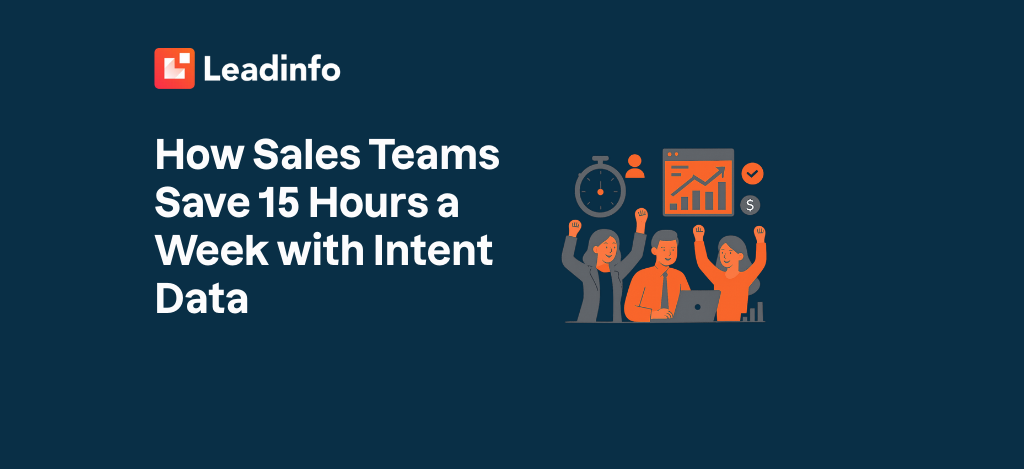
Sales teams that adopt this approach consistently report time savings of up to 15 hours per week. Not by doing less, but by knowing where to begin.
What is intent data?
Intent data is information that signals a company is actively looking for a solution. Not assumptions. Not guesswork based on a job title. Behavioural evidence that a company is in the market.
There are two main types.
First-party intent data comes from your own channels. Who visits your website? Which pages do they look at? How long do they stay? This is the most direct and valuable form because it reflects actual behaviour on your own digital property, making it immediately actionable for sales.
Third-party intent data is collected via external platforms such as industry media or research sites. It gives context about where companies are searching outside your website. Useful as a supplement, but less specific than what happens on your own site.
For most B2B sales teams, the logical starting point is first-party data. It is immediately available, directly relevant to your specific offering and requires no additional data-sharing agreements.
The hidden time drain in sales
“The sales team is calling but has no idea who is already interested.” It is a pattern that resonates across B2B organisations of all sizes. Outreach activities fill the calendar, but the return is inconsistent.
Cold outreach itself is not the issue. Reaching out without context, at the wrong moment and to the wrong companies, is where time disappears. Sales reps who call without knowing whether a prospect has visited the pricing page, read the comparison content or returned three times this week are missing the context that makes a conversation worthwhile.
The time drain shows up in predictable places:
- Prioritising based on a list rather than on demonstrated behaviour
- Following up on dormant contacts while active prospects go unnoticed
- Manually checking who might be interested without automated signals
- Preparing for conversations without knowing what the prospect has already seen
Intent data addresses each of these directly.
How intent data saves 15 hours a week
The time savings are not abstract. They come from three concrete mechanisms that together determine where a sales team spends its hours.
Better prioritisation, less waste
Without intent data, you start with a list. With intent data, you start with a priority. Companies that visited your product page multiple times this week, or returned after an earlier conversation, rise to the top automatically. Not because someone sorted a spreadsheet, but because the data shows it.
The number of outreach attempts drops. The quality of each conversation increases. For a sales rep processing dozens of cold contacts per day, this typically translates to 4 to 6 hours saved per week.
Timing that actually works
A company that visited your comparison page yesterday and came back today is in a very different position to one that browsed briefly six months ago. Intent data makes that distinction visible. Sales knows when a conversation has a realistic chance of moving forward, and when it is better to wait.
That saves time spent chasing contacts who are not yet ready. Across a working week: 3 to 5 fewer hours on premature or low-intent outreach.
Automated alerts instead of manual monitoring
The biggest time gain comes from automation. When a specific type of company visits a relevant page, an automated alert goes to the right sales rep. No dashboard to check every morning. No lists to maintain manually. The information arrives where it is needed, when it is needed.
For sales teams that currently do this manually, the saving is typically 3 to 5 hours per week on monitoring and sorting alone.
Combined, that adds up to between 10 and 16 hours per week, depending on team size and current working methods. The 15-hour figure is a realistic average for teams that work systematically with intent data as the basis for their prospecting.
How do you identify which companies have buying intent?
The essential step is understanding who visits your website and what they do there. Buying intent is not a binary signal. It is a pattern built from multiple data points.
Signal 1: Page behaviour
Not every page carries equal intent value. A visitor on the homepage is in early exploration mode. A visitor on your pricing page or comparison content is further along in the decision process. The pages a company visits, and the sequence in which they visit them, reveal where they are in their buying journey.
Signal 2: Session depth and duration
Twenty five-second visits carry less weight than fifteen minutes spent on a single product page. Depth of engagement matters more than volume. Companies that read, scroll and return are demonstrating a different kind of interest than those who click through briefly.
Signal 3: Return frequency
A company that visits multiple times across a week is further in its decision process than a one-time visitor. Return behaviour, particularly on specific pages, is one of the strongest intent signals available.
Signal 4: Context overlap
Is the company already in your CRM? Was there previous contact? Is an existing customer suddenly exploring an expansion page or a new product category? These contextual signals make intent data directly usable for sales action.
The top 5 signals that a website visitor is ready to buy gives you a practical framework for prioritising follow-up based on these signals.
Which companies are visiting your website?
Most analytics tools show you traffic volumes, bounce rates and popular pages. What they do not show you is which companies are behind that traffic.
Company identification tools fill that gap. They match the IP address of a business network to a database of company information. The result: instead of “unknown visitor from London”, you see “Company X from London, operating in manufacturing, 50 to 200 employees”, with contact details for the relevant decision-makers.
How website visitor identification works without cookies explains the technology behind this process in detail.
It is worth noting that this approach does not process personal data. It works at the company level, using business IP addresses matched to company records. This falls within GDPR boundaries under the legal basis of legitimate interest. No cookies. No individual-level tracking.
The practical outcome: a B2B website can discover which proportion of its daily traffic consists of relevant companies, including the context sales needs to have a meaningful conversation.
Which tools can identify B2B website visitors?
There are several solutions on the market that enable company-level identification of website visitors. They differ in data coverage, integration options, automation capabilities and price. A detailed comparison of the most widely used options is available in this overview of the best tools to identify website visitors.
When comparing tools, these criteria matter most:
Identification rate and data coverage
How large and up-to-date is the underlying company database? A larger European database produces a higher identification rate. Tools like Leadinfo achieve an average identification rate of 35 to 40 per cent of B2B website traffic. That is the proportion of visitors who would otherwise remain entirely anonymous.
Integration with existing systems
Does the tool connect to your CRM, marketing platform or ad network? The value of intent data increases significantly when you can not only see it, but automatically route it to the right person or trigger a follow-up workflow. How to connect identified visitors to your CRM and sales process covers this in practical terms.
Automation and alerts
Can the tool send an automatic notification when a specific company or type of company visits a relevant page? That capability is the difference between a passive monitoring tool and an active sales signal system.
GDPR compliance
For businesses operating in Europe: does the tool work at company level or individual level? Where is the data hosted? Does it rely on cookies? These are questions worth answering before selecting a tool.
From intent data to more deals
Intent data only creates value when it leads to action. The practical workflow looks like this:
- Ensure your website traffic is tracked and that you can identify which companies are visiting
- Filter for companies that match your ideal customer profile
- Set up automated alerts for companies visiting high-intent pages
- Reach out with context: reference what the prospect has already looked at and build from there
- Feed the data back into your CRM so that follow-up is systematic
How to convert identified website visitors into leads and how sales benefits from identifying website visitors give you a step-by-step approach to this process.
The result of applying this consistently: sales reps who make calls that are grounded in something real. Conversations built on context. Shorter sales cycles. And a working week where the majority of time goes to the right companies, rather than to figuring out which companies are the right ones.
FAQ
1. How does intent data work in practice for a B2B sales team?
Intent data gives sales a prioritised list based on actual behaviour rather than assumptions. When a company visits relevant pages multiple times, an automated alert can notify the right sales rep immediately. This means follow-up happens at the moment interest is highest. The principle is straightforward: reach out based on a real signal, not a cold guess, and the quality of every conversation improves.
2. How can I see which companies are visiting my website?
Company identification tools match the IP address of business networks to a database of company information. The result is that instead of seeing anonymous traffic, you see which company is behind each visit, including firmographic data and contact details. Most tools are installed via a small JavaScript snippet, similar to Google Analytics. European tools typically identify between 35 and 40 per cent of B2B website traffic.
3. Which tools can identify B2B website visitors?
Several solutions are available, including Leadinfo, Dealfront, Albacross and Leadfeeder. They differ in identification rate, data coverage, integration options and pricing. When choosing, focus on the size of the European company database, available CRM integrations, automation capabilities and the GDPR compliance approach of the provider.
4. Is identifying website visitors allowed under GDPR?
Company-level identification based on business IP addresses does not process personal data. It concerns information about legal entities, not individual users. This falls outside the scope of the GDPR in most interpretations. The legal basis applied is legitimate interest under Article 6(1)(f) of the GDPR. For person-level identification, such as form tracking, different rules apply and consent may be required.
5. How do I prioritise which leads to follow up first?
Combine multiple signals: which pages did the company visit, how long did they stay, how many times did they return and does the company match your ideal customer profile? Companies that viewed high-intent pages such as pricing or comparison content, returned multiple times and fit your ICP should be at the top of the list. Lead scoring features in most identification tools automate this ranking based on criteria you define.